Riddel is a computer program simulating the paper test process. It is a replacement for a paper test and can be used for official tests as well as working on assignments offline. The lecturer controls the entire testing process by setting up the test, uploading the test to the network, retrieving marks, marking written questions as well as evaluating the test and releasing the marks. The program makes provision for 1500 users. To use it for 3000 users, the test can just be duplicated into group A and B etc
The software has 2 versions: the editing version and the reading version. The editing rights are controlled by an activation process. and the number of users with editing rights is not restricted. Reading is free and unlimited. The student users must install a reader to open the software.
Features of the program:
- Provides feedback from users that are using the program offline
- Runs on a network where it links up with a data base to which all the information of the test is sent to when it is used for summative or formative assessments. The information can be statistically analysed.
The test is compiled on a computer onto which the editing version of the program has been installed. Learners can access, but not edit, the program after its installation on their computers.
The test is compiled offline like a presentation. The names and numbers of the users are incorporated in the test. This test file can then be used in 3 ways:
- Offline, as an assignment where the test presents the user with a unique 'completion code' when a set percentage is scored. This code can then be used as proof that the test has been completed successfully. If the percentage, normally 80%, is not achieved, the user has to redo the test until the required percentage is achieved. A number of assignments can also be put in sequence. The completion code of the first assignment is then required to open the second assignment and so on.
- Instead of the completion code the program can, after completion, provide the user with a mark and a code which can be converted into a percentage
- Riddel can also be used on a network. The test is loaded onto a server as a 'read only file'. Users log in, in the computer lab and click on an icon on the desktop to open the test. Depending on the setup, the test will either show the users their marks at the end of the test or not.
Riddel writes all the responses of the users back to the server from where it is retrieved with an extractor file. The following statistics are done on the marks:
- Percentage correct for each question.
- Difficulty index.
- Discrimination index.
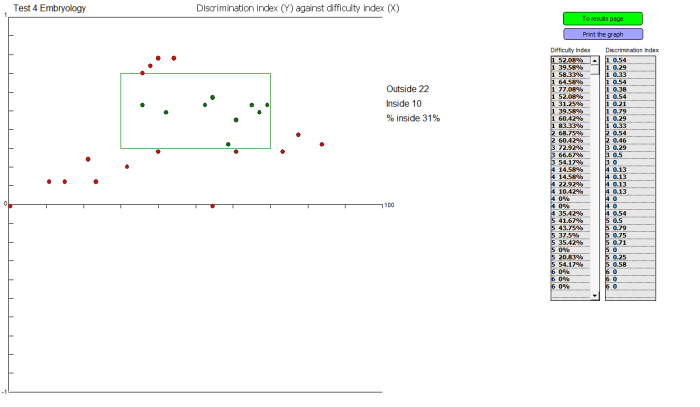
- Discrimination index plotted against the difficulty index.
- Questions answered incorrectly by the stronger learners.
- Questions answered correctly by the weaker learners.
- Averages.
- Highest mark
- Lowest mark
- Time spent on doing the test.
- Time used by the slowest and fastest student.
- Time spent on each page.
- Occurrence of each answer.
- Divides the test into testlets for Cronbach’s alpha reliability coefficient.
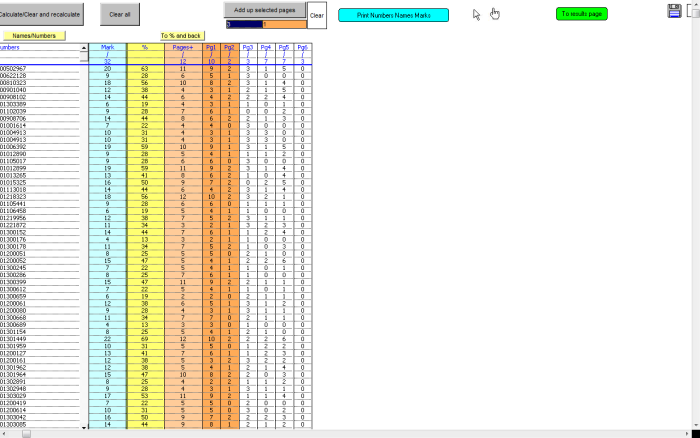
- Totals for different pages.
- Calculates reading speed for text pages.
- Draws a graph of the distribution of marks.
With this system, the file size as well as the number of users writing the test simultaneously is not an issue. After a test is written and the results analysed, the program draws a graph showing the distribution of marks. The results can also be imported from the extractor file back into the test. The results, percentage correct, difficulty index and discrimination index are placed in a text box at the bottom of each page so that the results can be easily compared with the questions. This system makes it easy to see which questions were too easy, which were too difficult or which were just poor questions.
Time limits can be set for the test and for each page. The time can be displayed but test termination can also be selected.
Riddel can also be used to collect information from users such as email addresses, student numbers, cell phone numbers etc. This information can be listed in a text file from where it can be copied into another file.
Retrieving lost work
When a test is interrupted before completion due to a malfunctioning computer, the user can go to another computer, start again and retrieve previous answers using a code that was generated and given to the user during the first attempt.
Security
A number of security features are available in Riddel:
- A test is password protected.
- A test will not open if the database is not in place.
- The date and time during which the test will open can be set.
- A list of MAC Addresses of computers on which the test will open can be included in the test.
- The users can be restricted to a specific computer by matching the student number of the user to a MAC address. The list of users with the MAC addresses on which they will be allowed to write the test can be printed and even shuffled for a next test.
Questions
Riddel makes provision for the following types of questions:
- • Fill in the blanks: with this type of question the memorandum can contain any number of correct answers. An index can also be supplied to help prevent spelling errors. Ten answer boxes can be used per page. This type of question can be remarked afterwards in the extractor file. The program will mark the answers according to the memorandum, and after the results have been extracted, the answers can be checked for responses that were worth a mark but were not in the memorandum.
- • R-type questions:
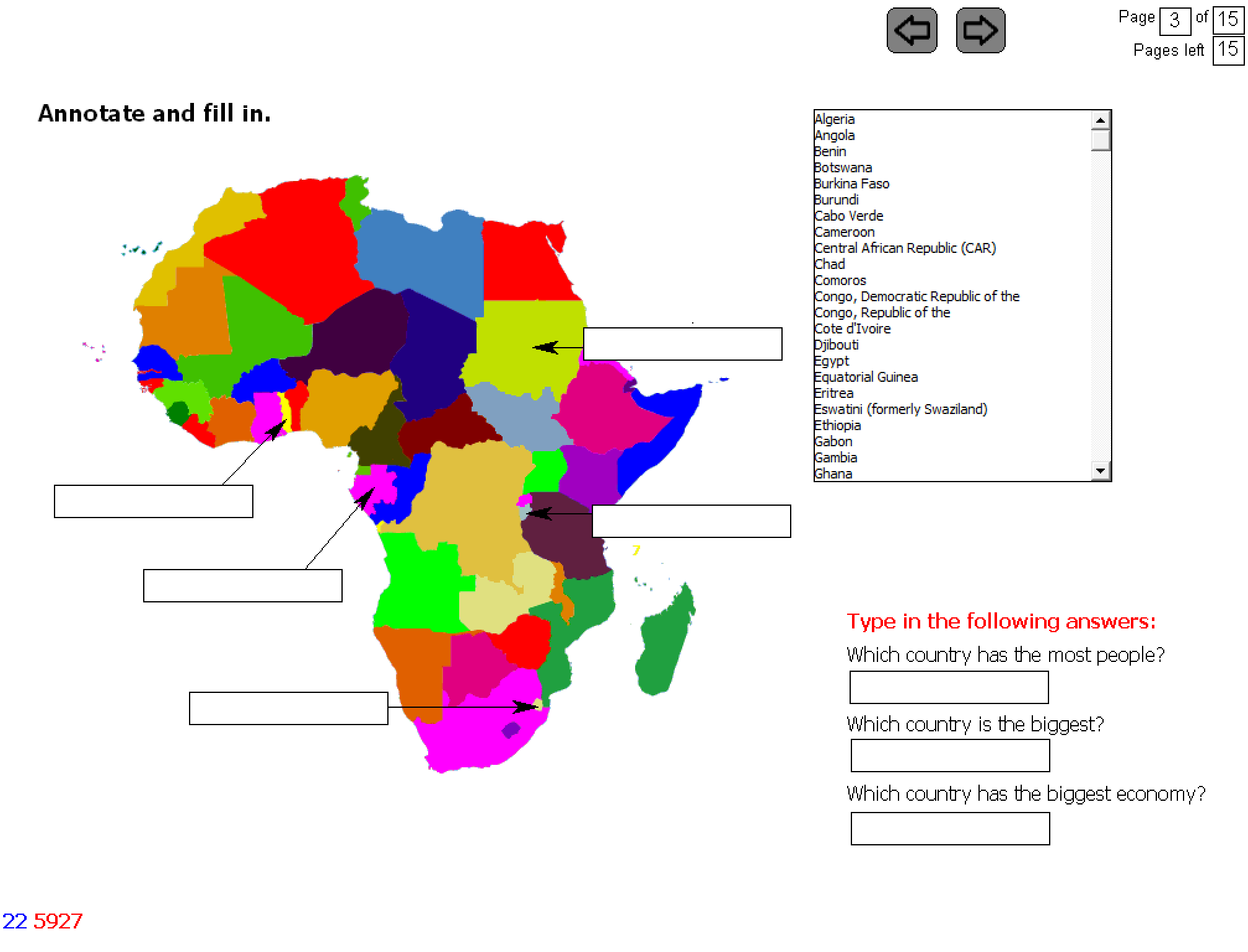
- where ten answer boxes are available on a page with a mixed list of unlimited options. This type of question can also be used for matching questions, for annotating images, filling in the missing word as well as true/false questions.
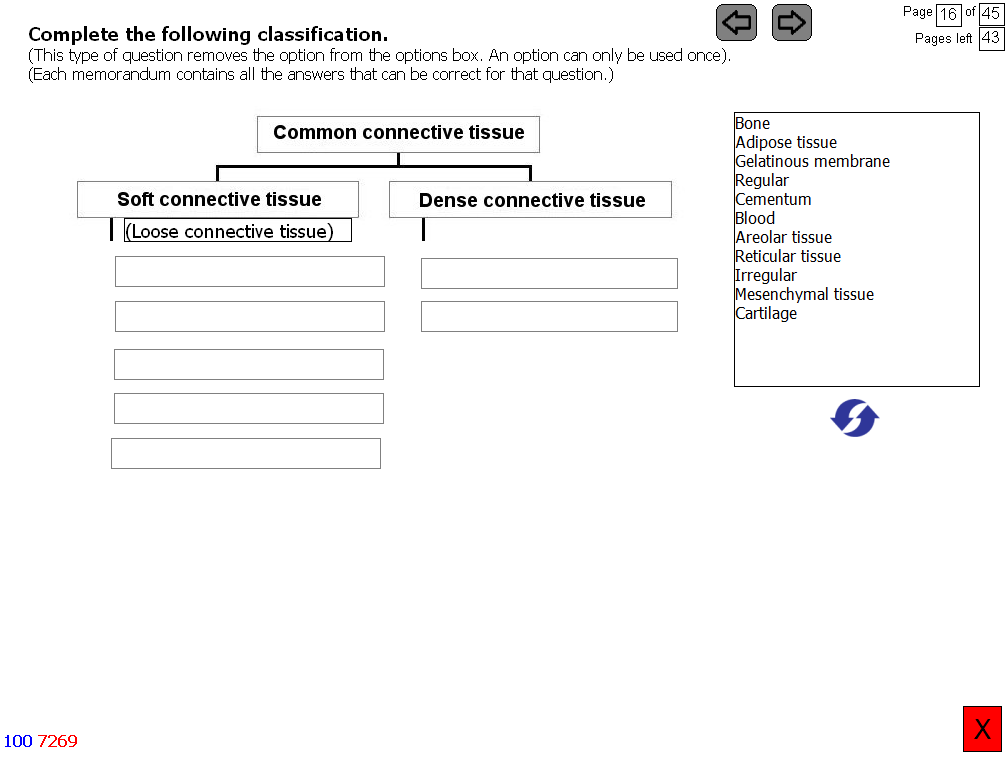
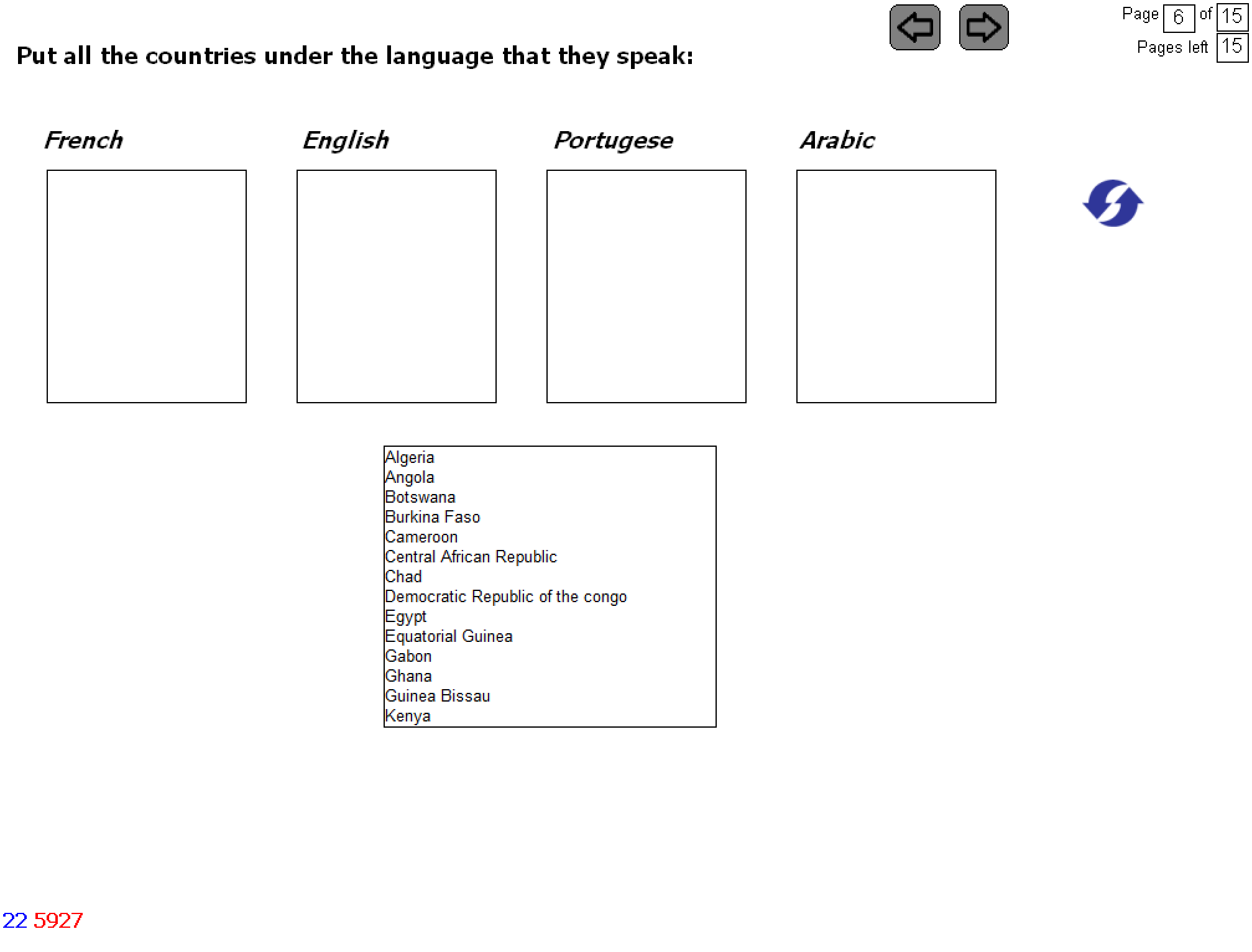
- where ten answer boxes are available on a page with a mixed list of options, but when an option is used, it is removed from the options list so any answer can only be used once. With this type of question more than one answer can be correct. Questions can be asked where the sequence of answers is not fixed like when a classification is asked (see the example).
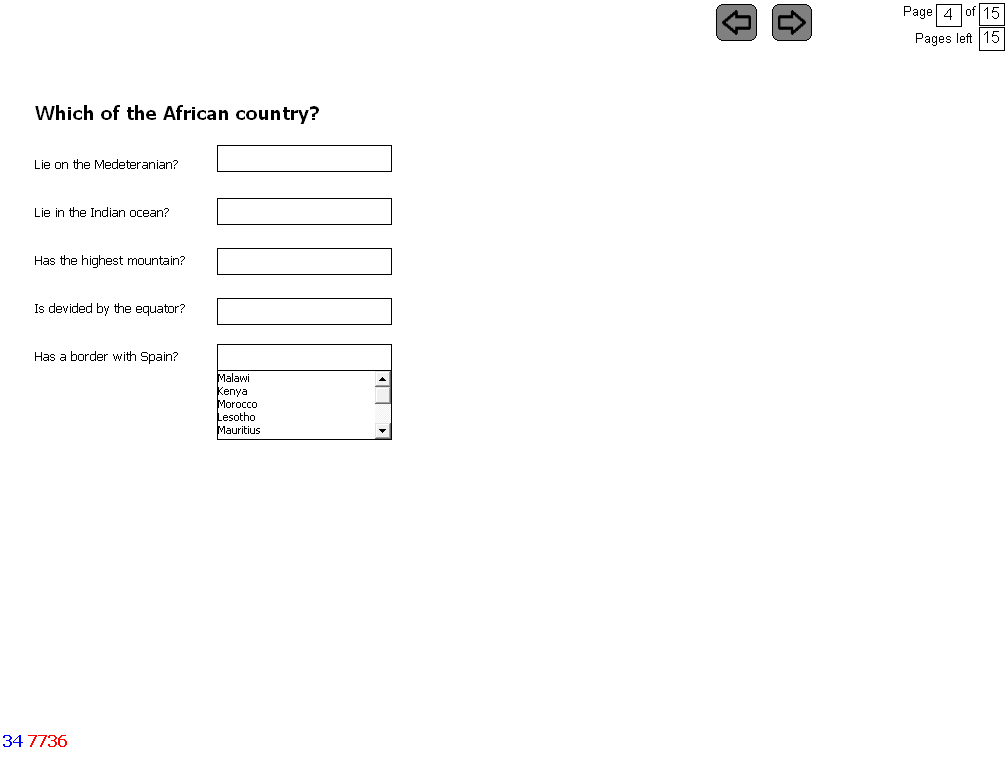
- Drop down questions: where five answer boxes are available per page and each question has its own options.
- List questions: where the user is asked to select a number of answers from a list.
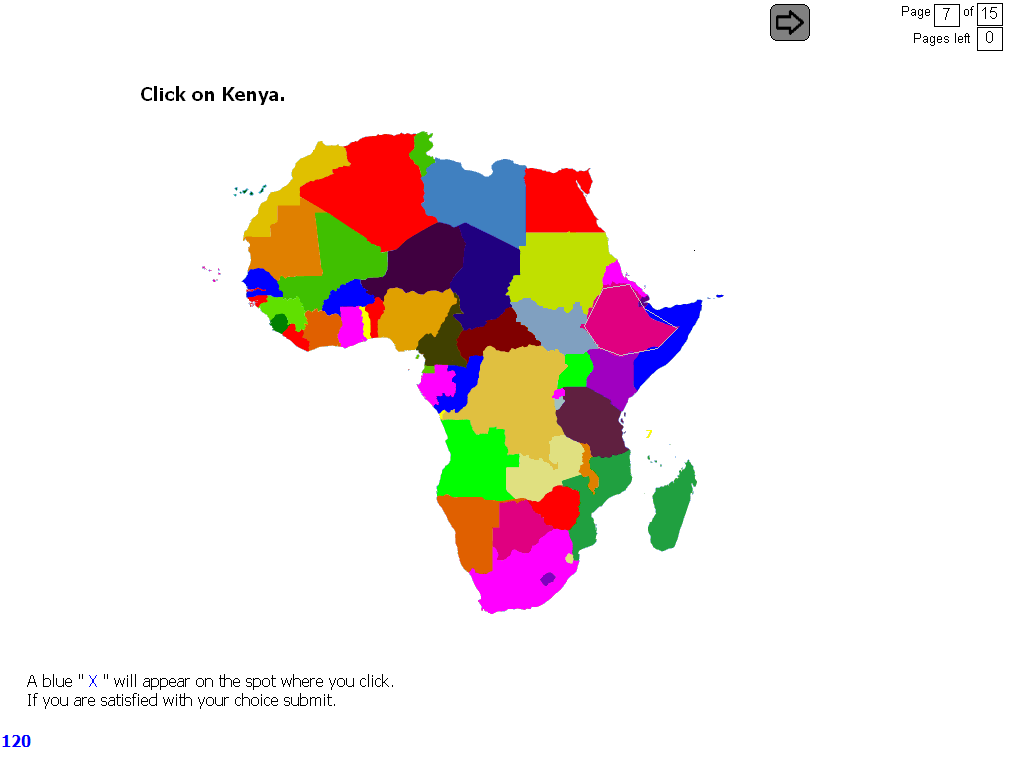
- Hot spot questions: where a hot spot or spots are marked and asked. A free form hot spot can be marked. A hot spot is created by clicking nine points on the screen.
- Crossword puzzle.
Reading test: where text is flashed on the screen. The program counts the number of words in the text and then calculates the exposure time according to the set reading speed which can for example be 100 words per minute.
Negative marking can be done in 2 ways:
The value of each question can be set. Provision is made for negative or formula marking. The negative mark for each question can be set. If required, all the questions or only one question in the test can be marked negatively.
Negative marking can be done in three ways:
- All the negative marks are added up and subtracted at the end of the test.
- Negative marks are only subtracted from the marks of one page. Negative marks are not carried over.
- Making a correction for guessing. When this feature is selected, the program sets the negative mark by calculating a value which is subtracted as a negative mark. This value is calculated by dividing the number of correct answers by the number of options minus the number of correct answers.
The interface
- The size of the interface is 1024 X 768.
- The test is arranged in pages on which, depending on the type of question, there are answer boxes into which text or images can be inserted, arrows, an options box and a submit button.
- Video clips, Flash files, PowerPoint presentations or sound files can also be linked to the page.
- All the objects can be dragged to anywhere on the page and can also be resized.
- Colours and fonts can be changed.
- Users can be allowed to go back and forth between pages. Pages can be shuffled. Options can be shuffled, arranged alphabetically or presented in the way they were inserted.
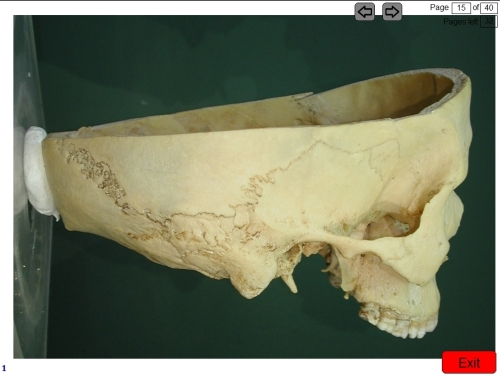
- The ten arrows are for indicating structures.
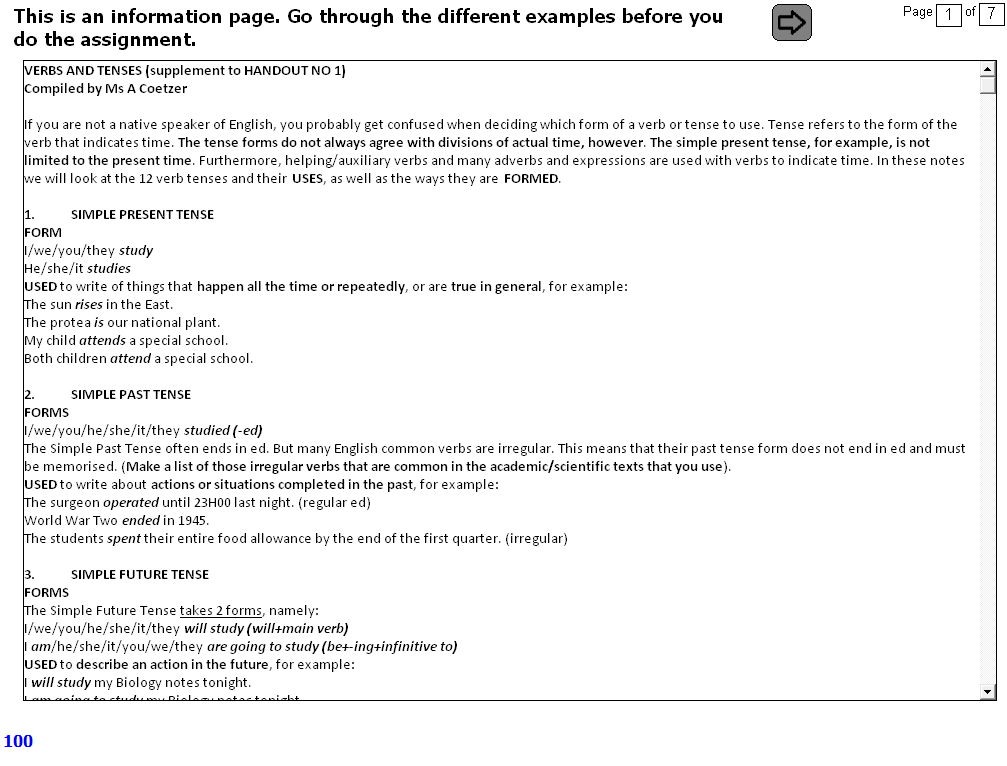
- An information page can also be added which makes it possible to spread a question over two pages and which can also be used for animations.
- It is possible to use images of 800 X 600 and still have enough space for the answer boxes, the options, and the submit button. This feature is very useful when setting a test for a subject like histology where images are very important.
- The information pages can be used like a presentation. Information is given to the user on which he or she is then tested.
Examples from an Anatomy test
Information page
Animation
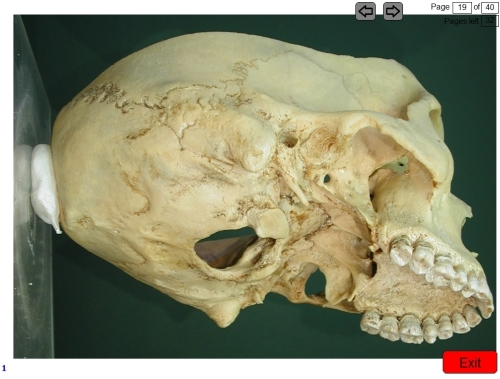
Annotate
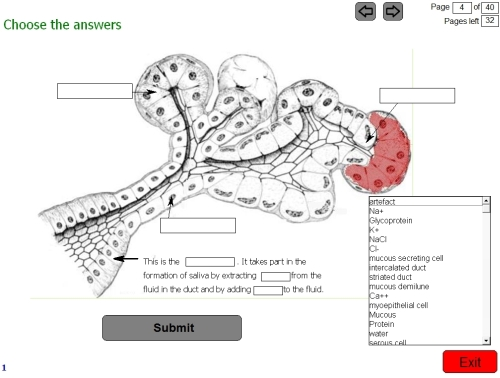
Match
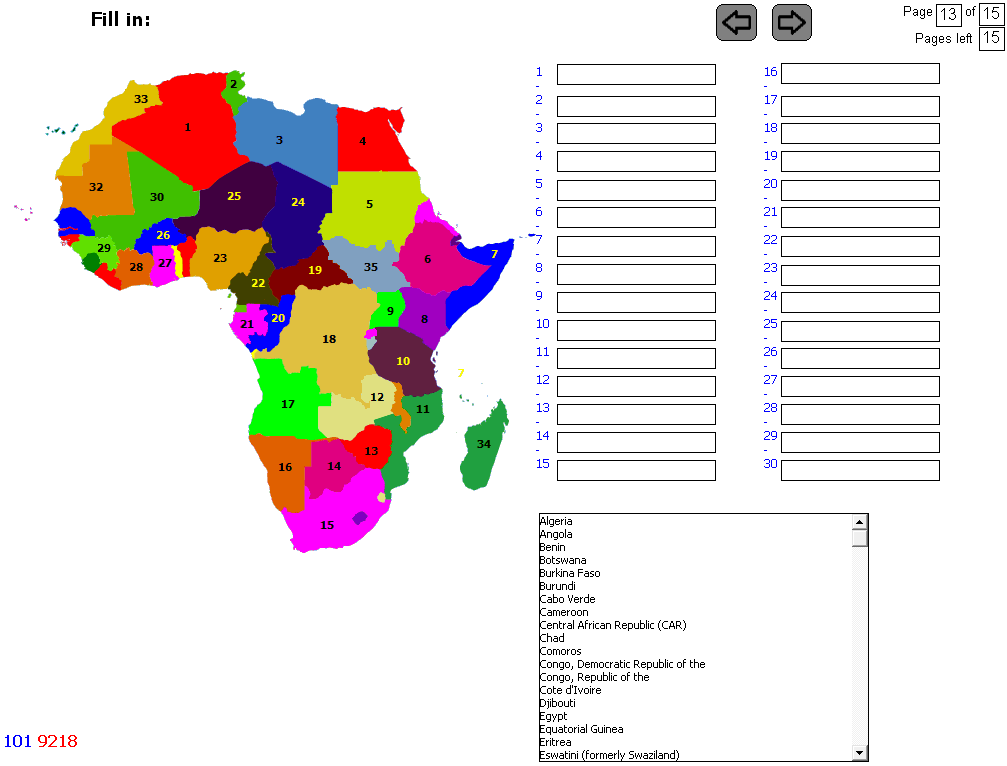
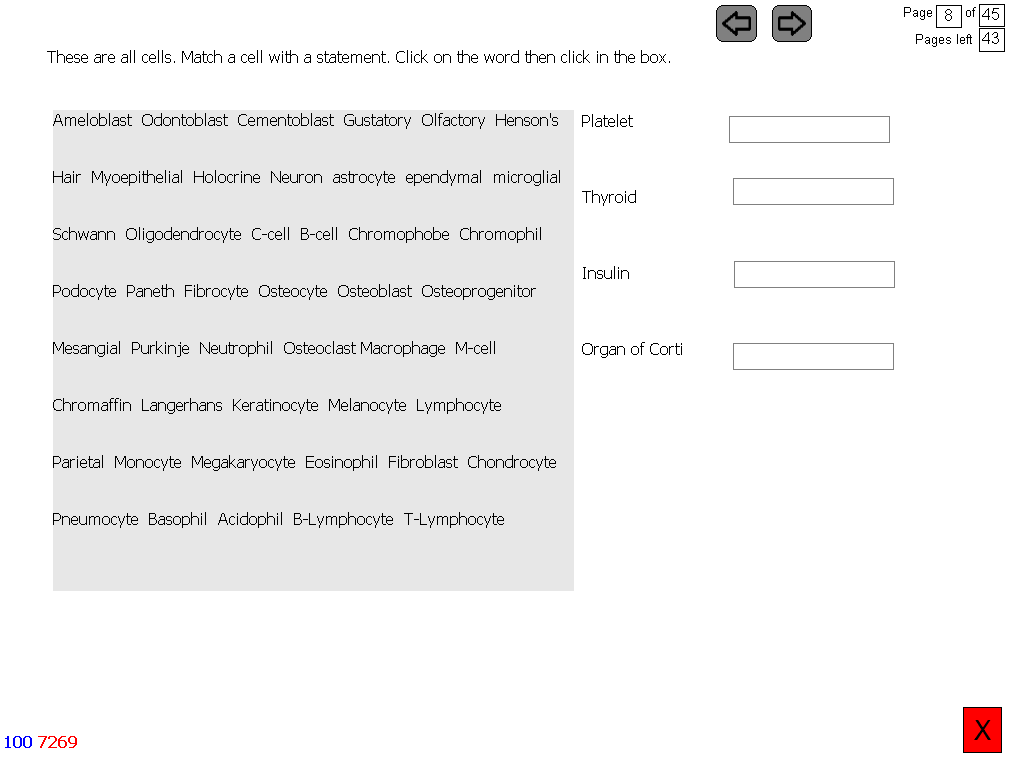
Shared options
Hot Spot
Fill in the blanks
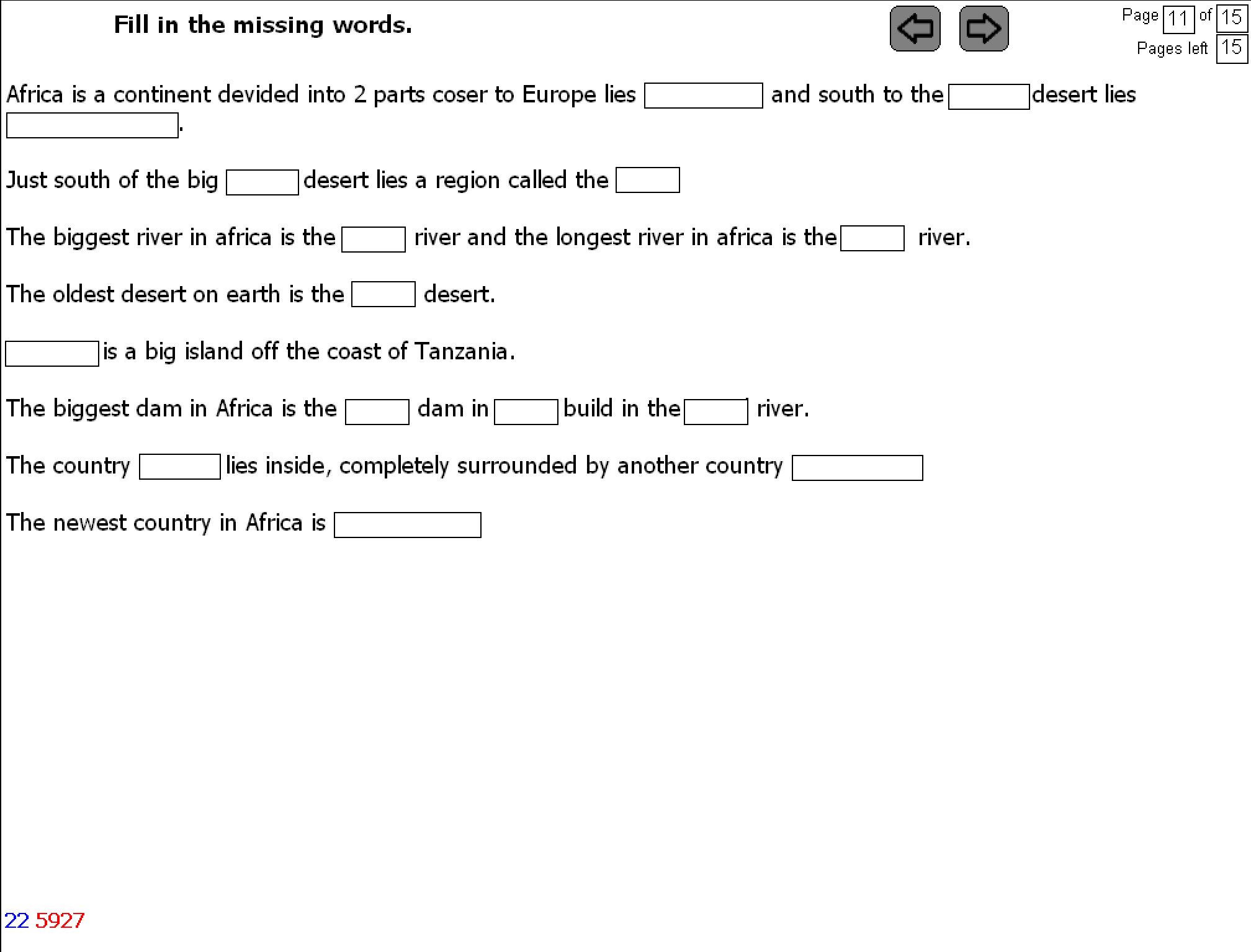
Type in the answers (with an index)

Sequence is not fixed
Identify and select features from a list
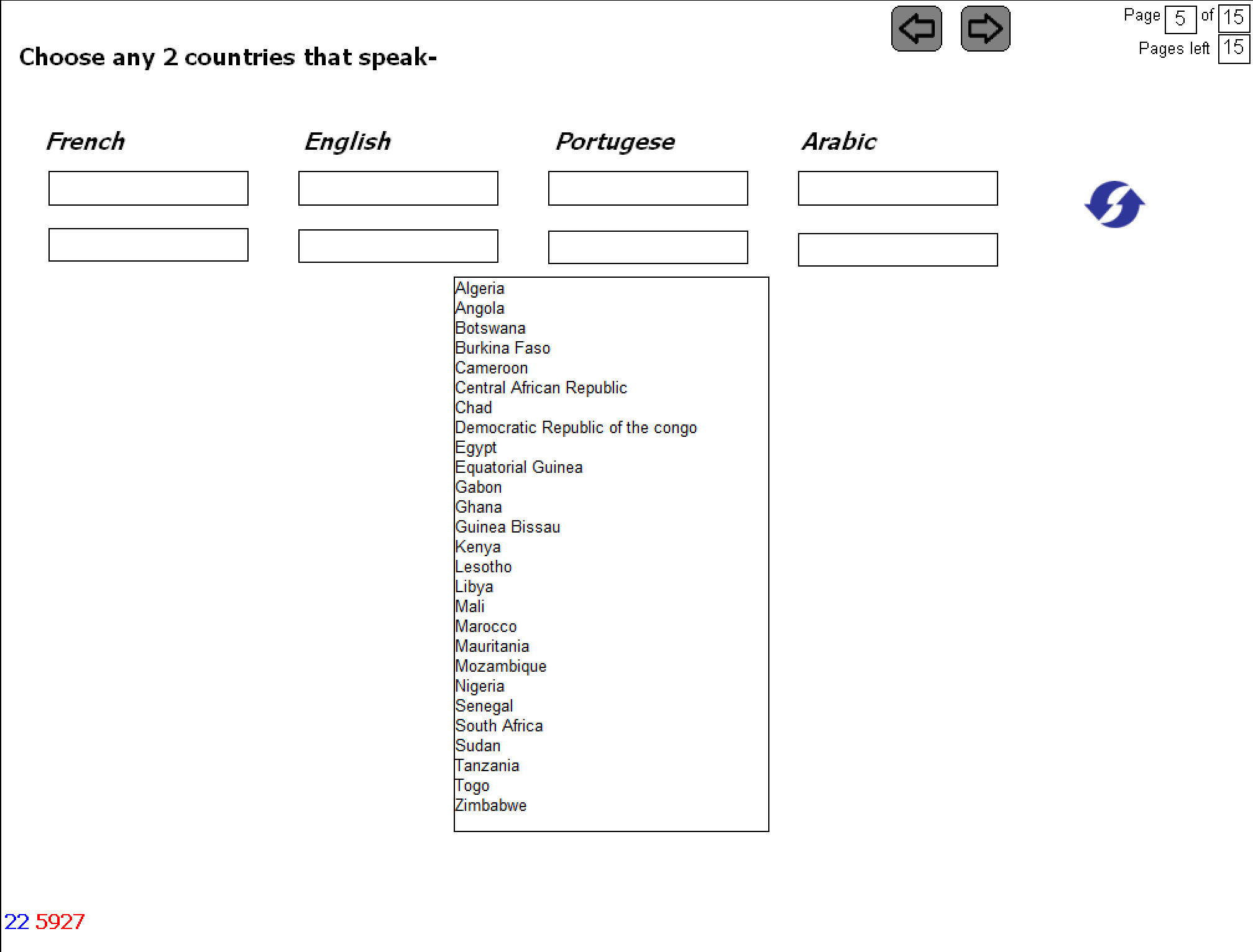
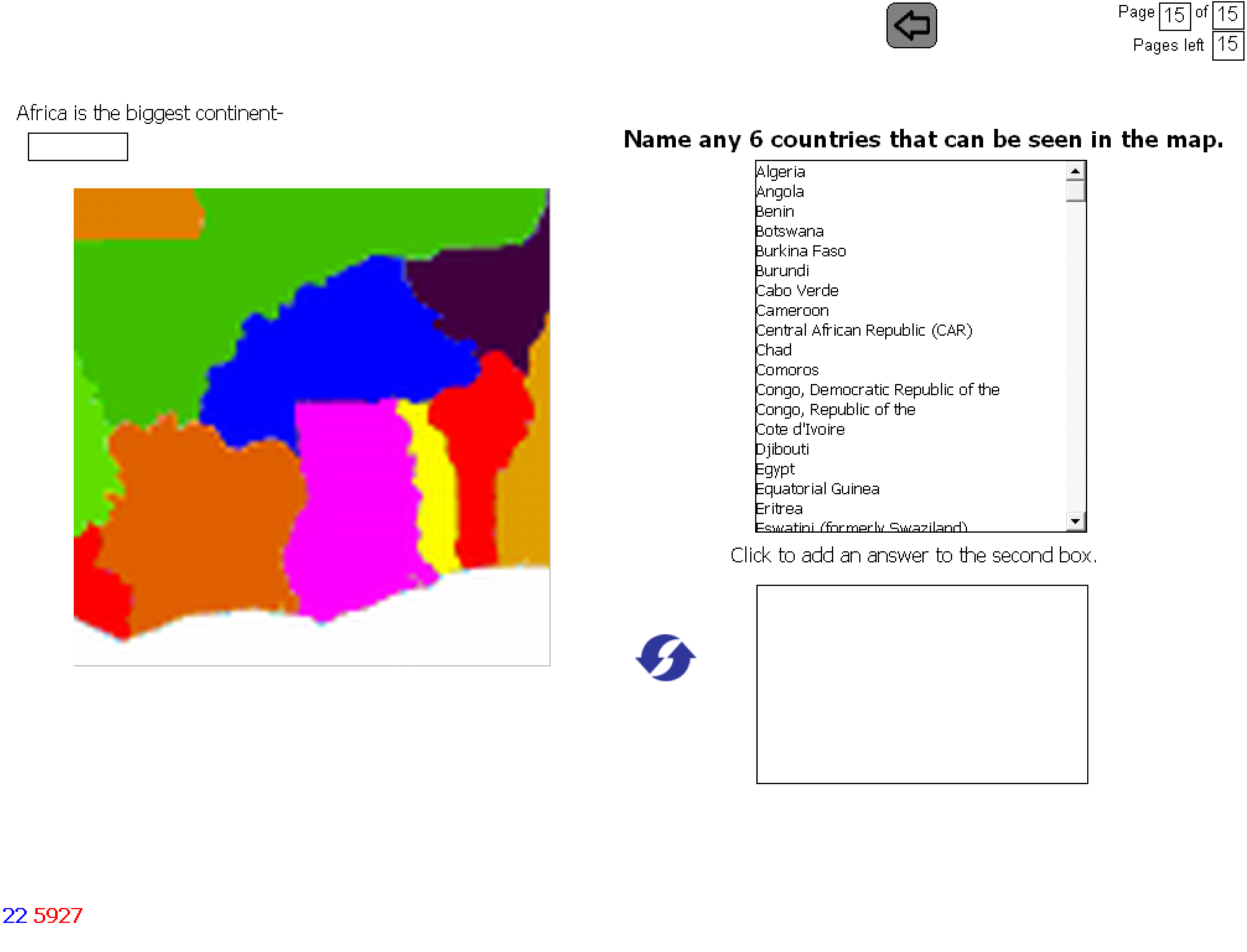
Dropdown menu for each question
Crossword puzzle

Multiple lists
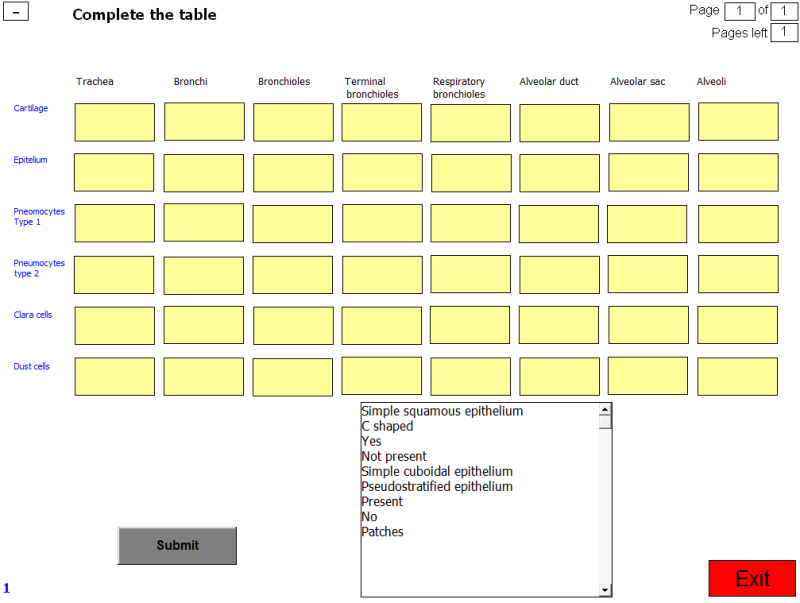
More than 10 questions on a page (Table)
Language Tests
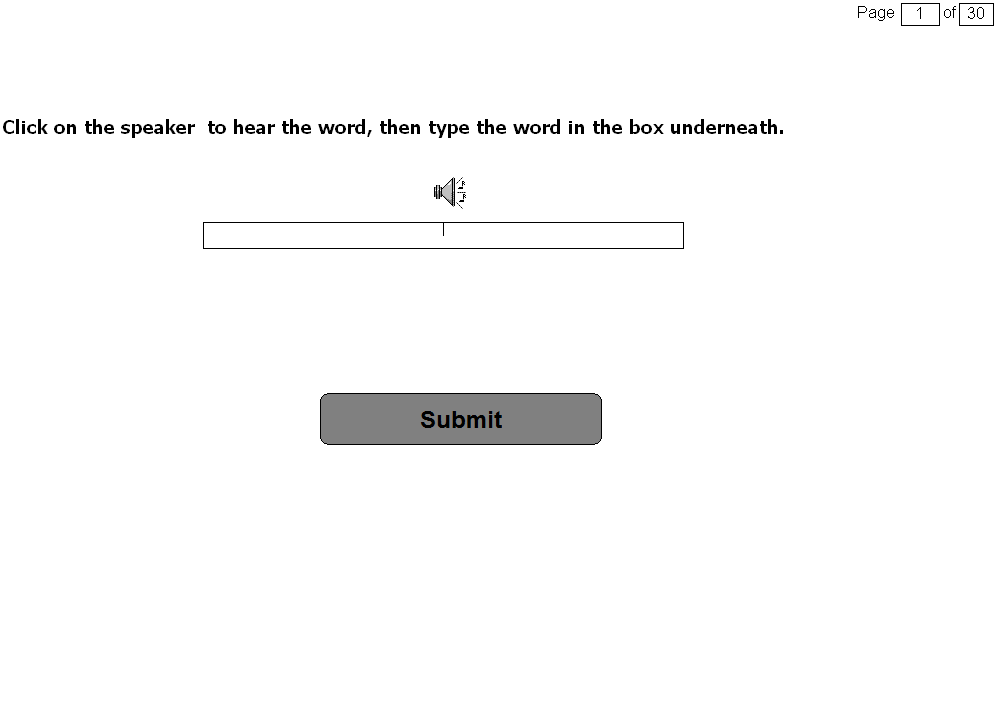
Spelling test
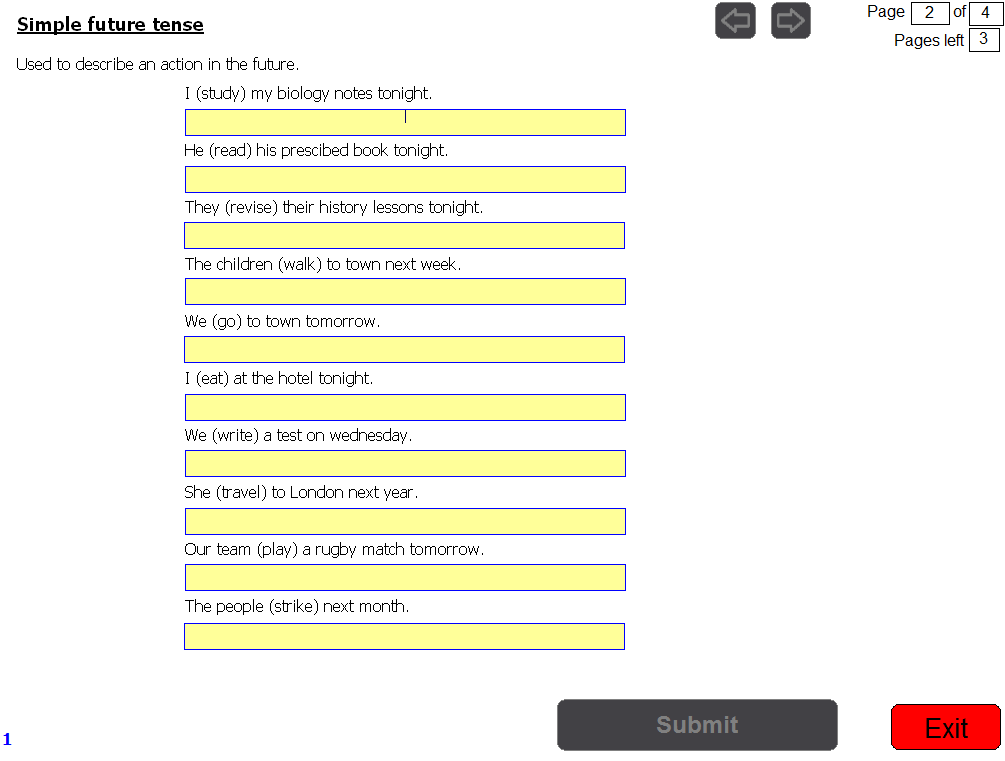
Tenses
Additional Features
- When a test consists of more than one section, a menu can be used from which the user can then access the different sections of the test.
- A time limit can be set for the test or for each page.
- Users can see their answers as well as the correct answers afterwards with or without feedback. A similar feature is also available for external examiners to view and to print the test.
Results
- When a test is written on a network, the results of each user are written into a separate file. An extractor program is then used to extract the results from these multiple files into one file. Once in this file, the calculations and statistics mentioned earlier can be done on the results.
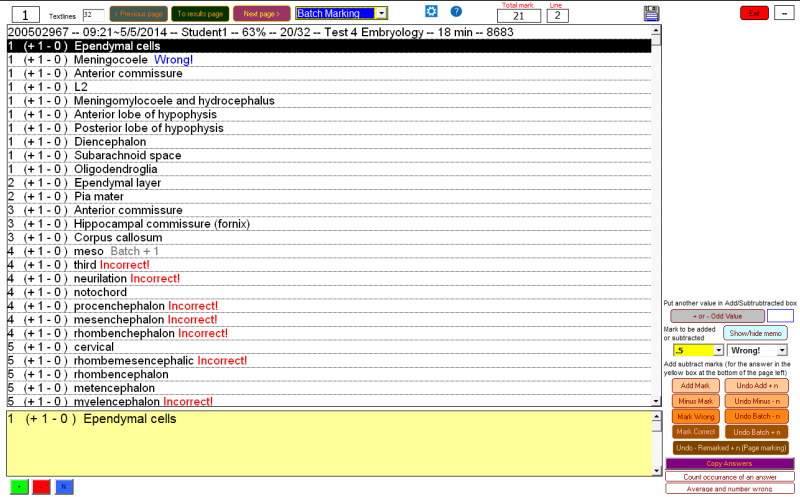
- The type of question where the user types in the answers can even be marked manually in this file. An answer that was marked incorrect by the program can be remarked and from half a mark up to five marks can be awarded (added) for an answer that is correct but that was marked incorrect because it was not in the memorandum. If it is discovered that the memorandum was incorrect, a mark can be subtracted for the incorrect answer (that was marked correct) and a mark can then be added for the true correct answer.
Extracted results

Manual marking
- Type-in questions are marked by the computer according to the set memorandum. However, these answers can be viewed afterwards where an answer that was marked incorrect can be changed manually to correct.
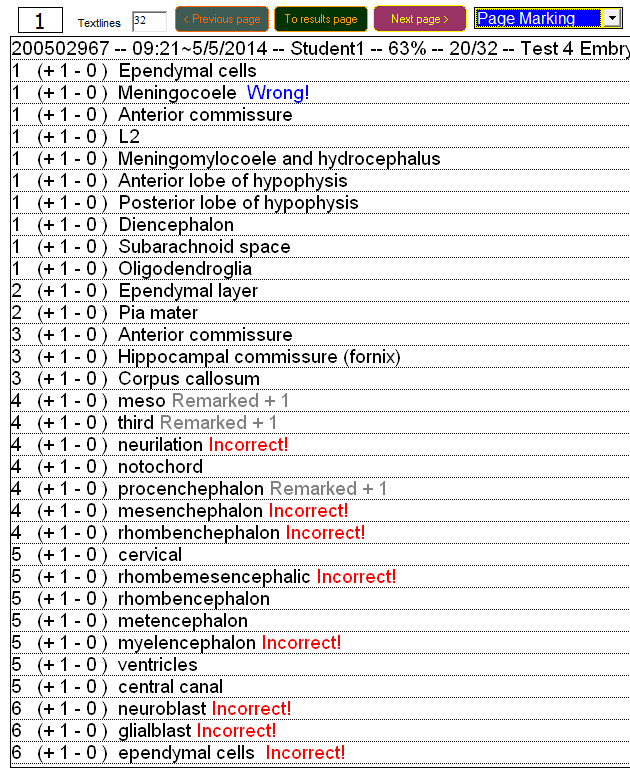
- There is a line-marking feature where the same line of all the responses are marked one by one, and a page-marking feature where a page is marked before moving to the next page.
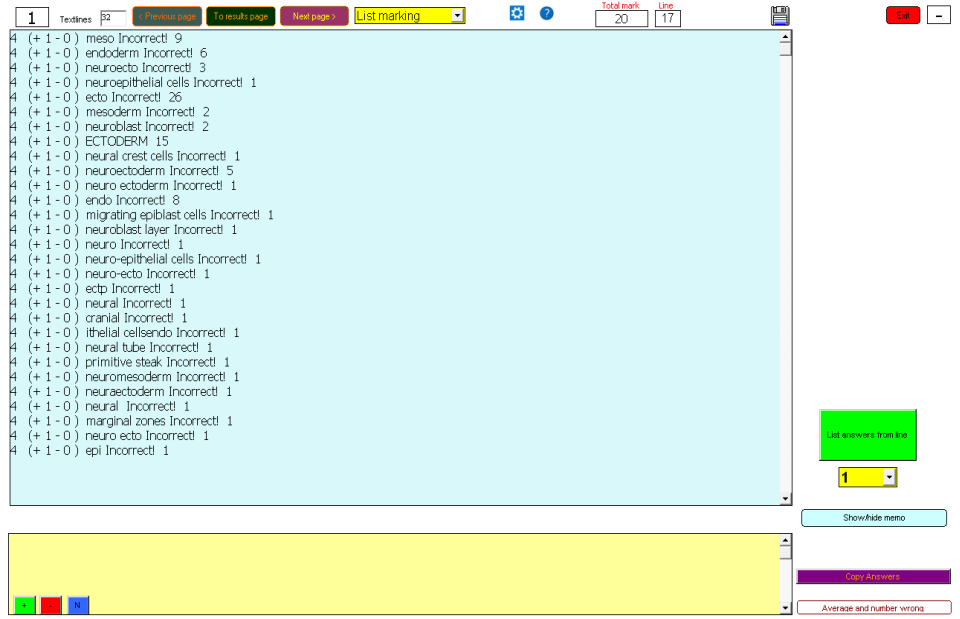
- There is also a list marking feature where a list of all the answers for a question is displayed. By clicking an answer, it is marked correct for all the users.
- The number of times a response is given is also shown.
Examples of manually remarked questions.
Line-marking. Mark the answer in the yellow box, one line at a time.

Page-marking. Mark all the type- in questions on a page.
List-marking. Click an answer to mark it correct for everybody that gave the answer.
There is also a batch-marking feature where an error in the memorandum can be corrected by marking a question that was marked correct, incorrect or the other way round.
Batch-marking
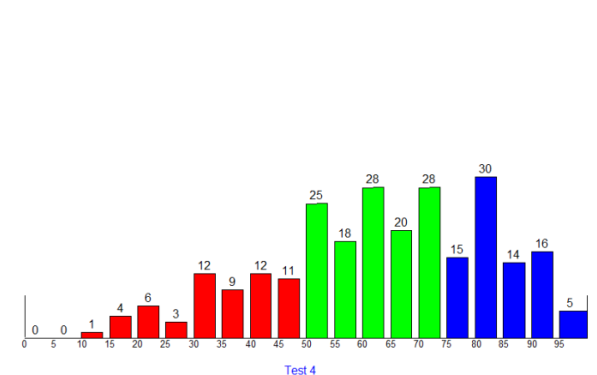
Distribution of marks.
- Once the marks are finalized, the program draws a graph of the distribution of the marks, indicating for instance how many students got between 45% and 49%. In this case, eleven.
Graph of the discrimination index against the difficulty index
Calculating totals for the different pages. Adding pages scores.
The test can also be reset into testlets to calculate Cronbach's alpha reliability coefficient.
Written questions
Written questions can also be asked. The written question consists of a question and an answer box, an image can also be added to the question. The user then types the answer in the answer box. Ten written questions can be asked in a section. If more questions are needed another section can be added. The program backs up a page on the server as soon as the user moves to another page. When there is a power failure during a test and the test is restarted the program will retrieve the questions already answered.
Written Questions
Written questions can also be asked.
- The written question consists of a question and an answer box.
- An image can also be added to the question.
- The user then types the answer in the answer box.
- Ten written questions can be asked in a section.
- If more questions are needed, another section can be added.
- The program backs up a page on the server as soon as the user moves to another page.
- When there is a power failure during a test and the test is restarted, the program will retrieve the questions already answered.
The written question
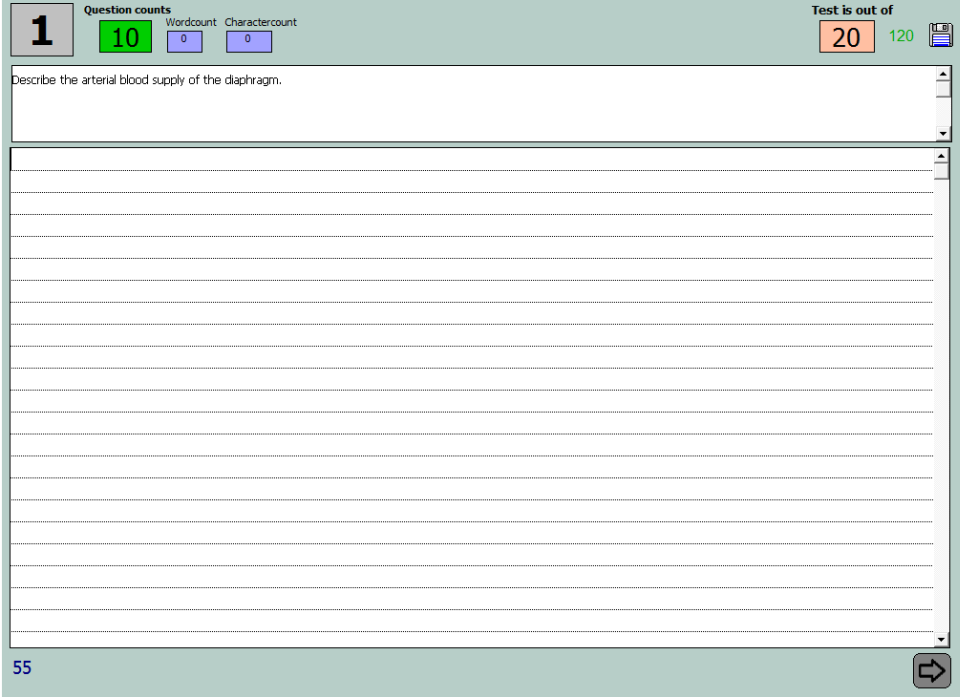
The written question with an answer.
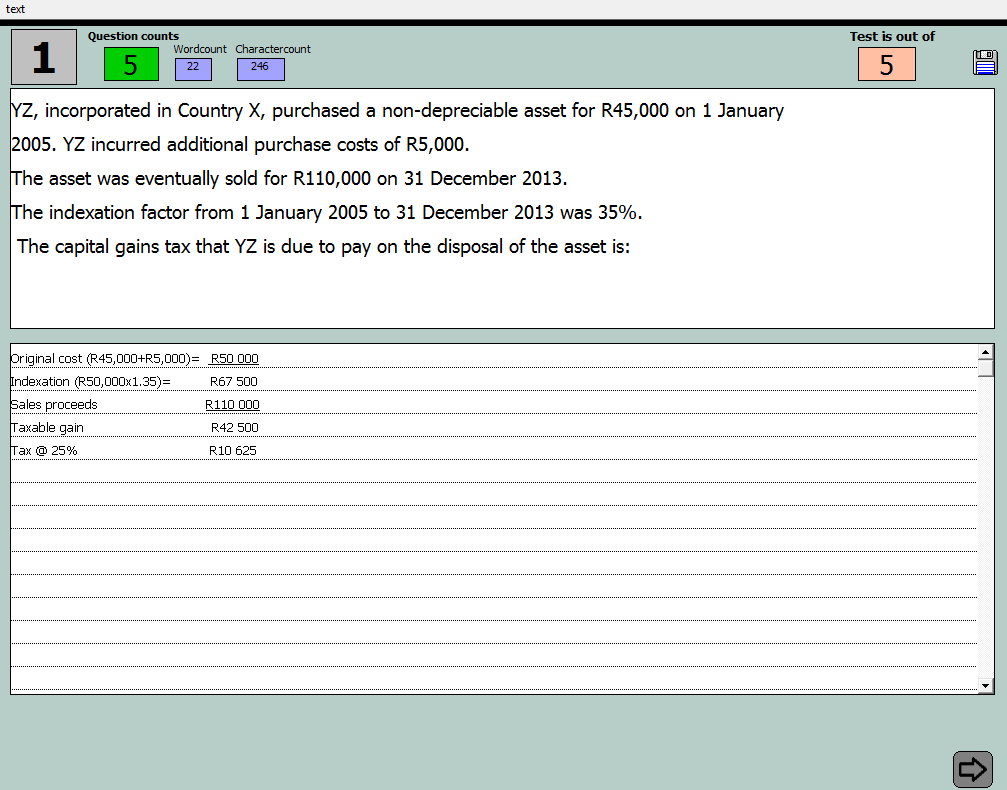
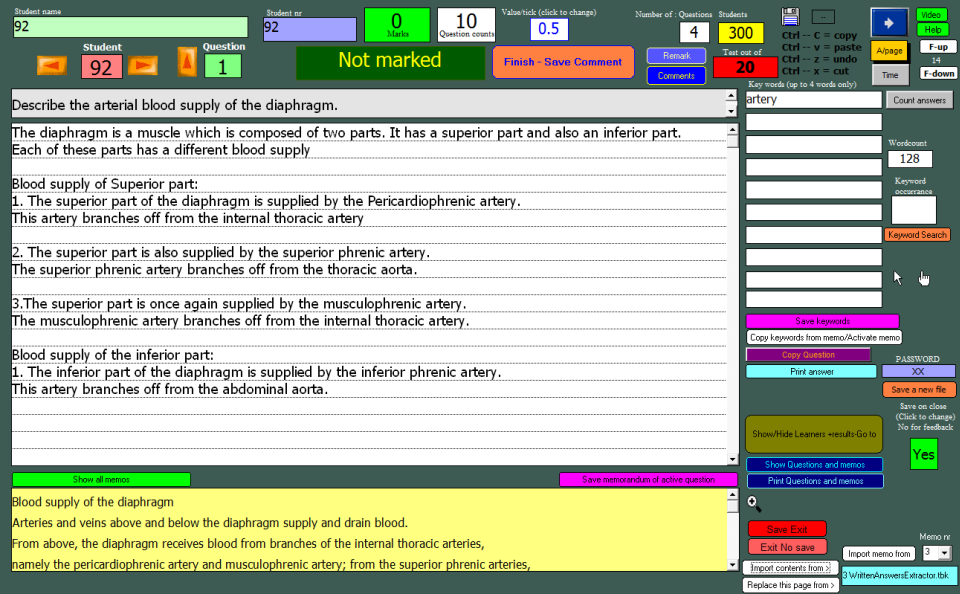
Afterwards, all the answers of all the users are imported into one file where it is marked.
Answers.
Marked answers
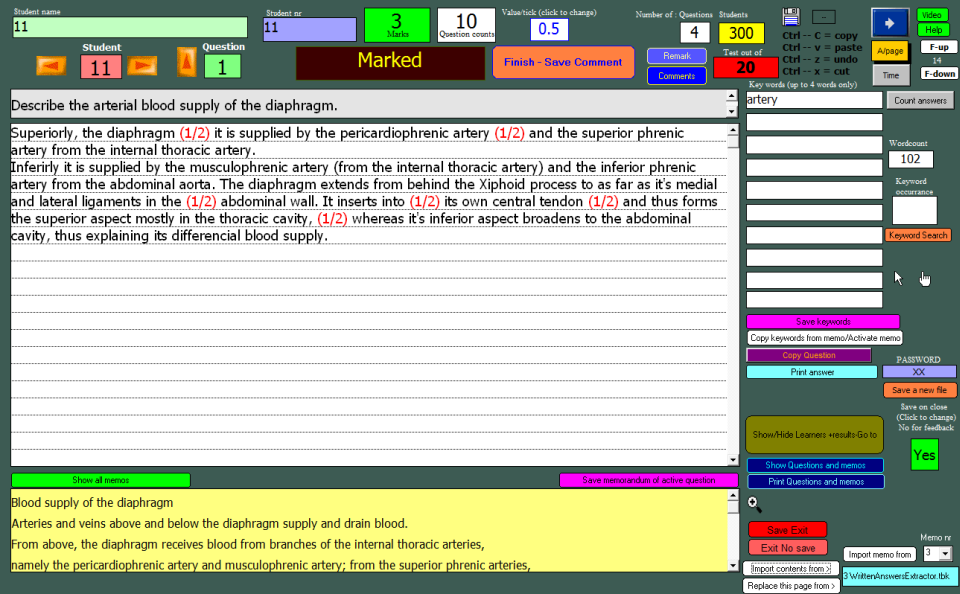
- The questions are marked by clicking on the information for which a mark is awarded.
- One mark or half a mark is added depending on the setup.
- The program can search for previously set keywords in the text.
- Where numerical values are part of the answer, this feature can be used to see if the correct values are present in the answer.
- Marks are automatically added up.
- Comments can be added during marking which the learners can then view afterwards.
- The program also draws a graph showing the distribution of marks.
Feedback
When the marking of a written question is completed the answers can be made available to the users. Users can see their results, marks awarded as well as comments written by the lecturer.
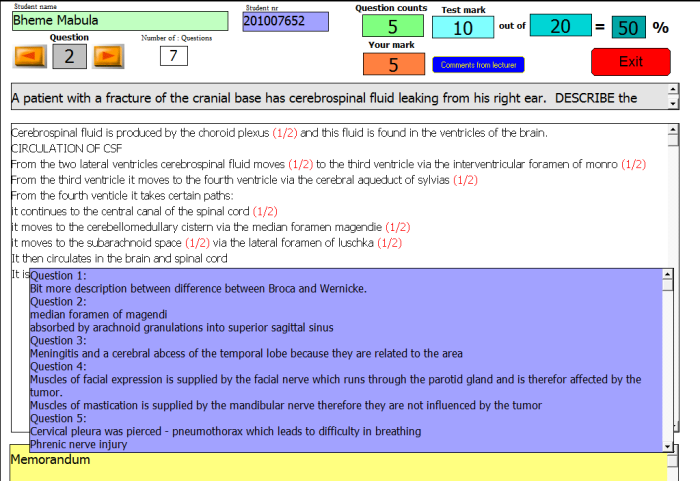
- When the marking of a written question is completed the answers can be made available to the users.
- Users can see their results, marks awarded as well as comments written by the lecturer.
Lecturers can be trained in a few hours to set and manage their own tests. It is also possible and simple to import pages from other tests into a new test. The test can be protected by a password and an expiry date can be set.
Assignments are distributed by placing them on a portal or LMS. Learners can also get the assignments from one another by copying it onto a memory stick.
The program has been used for the last 5 years at the University of Limpopo (Medunsa campus).